Mobile Content Creation: CapCut Pro Free Trial Guide
In today's fast-paced digital world, creating professional-quality videos on your mobile device has become more important than ever. Whether you're a social media influencer, small business owner, or just someone who loves sharing creative content, having the right tools at your fingertips can make all the difference. CapCut Pro has emerged as one of the most powerful mobile video editing applications, offering features that rival desktop software while maintaining the convenience of smartphone editing.
The beauty of CapCut Pro lies not just in its robust feature set, but also in its accessibility through a free trial period. This comprehensive guide will walk you through everything you need to know about maximizing your CapCut Pro free trial experience, from initial setup to advanced editing techniques that will elevate your mobile content creation game.
What Makes CapCut Pro Stand Out in Mobile Video Editing
CapCut Pro isn't just another video editing app cluttering the app stores. It's a sophisticated platform that brings professional-grade editing capabilities directly to your smartphone or tablet. The application offers an impressive array of features including advanced color grading, multi-layer editing, keyframe animations, and an extensive library of effects and transitions.
What truly sets CapCut Pro apart from its competitors is its intuitive interface that doesn't sacrifice functionality for simplicity. You'll find that even complex editing tasks become manageable thanks to the app's thoughtful design and user-friendly workflow. The app supports high-resolution video editing, including 4K footage, which means your final output will maintain the quality your audience expects.
The integration with popular social media platforms is seamless, allowing you to optimize your content for different formats and aspect ratios with just a few taps. Whether you're creating content for TikTok, Instagram Reels, YouTube Shorts, or traditional landscape videos, CapCut Pro adapts to your needs effortlessly.
How to Access Your CapCut Pro Free Trial
Getting started with your CapCut Pro free trial is straightforward, but there are a few steps you'll want to follow to ensure you're maximizing this opportunity. First, download the CapCut application from your device's official app store. The base version of CapCut is free and offers substantial functionality, but the Pro version unlocks premium features that can significantly enhance your editing capabilities.
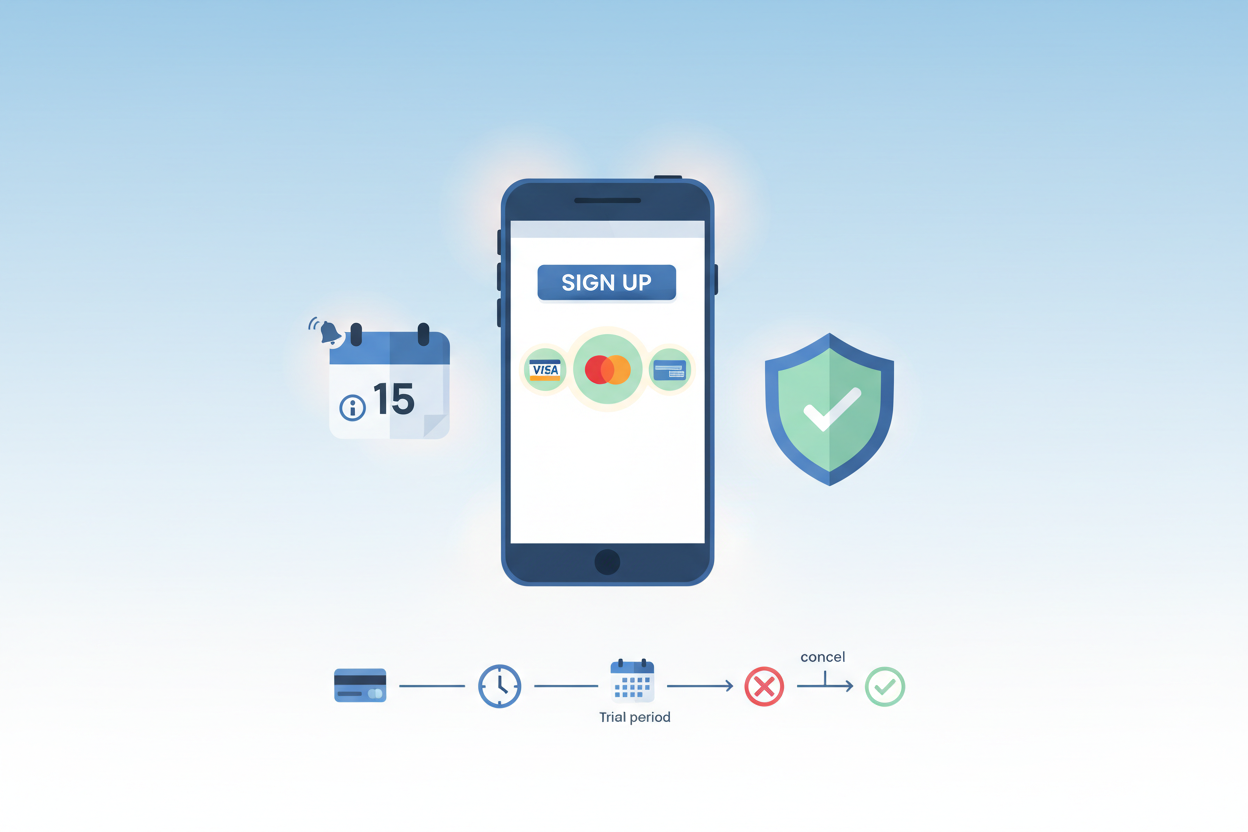
Once you've installed the app, open it and navigate to the subscription or premium features section. You'll typically find this in the app's main menu or when you attempt to use a premium feature. The free trial usually lasts between 7 to 14 days, depending on current promotions and your geographic location.
During the signup process, you'll need to provide payment information, but you won't be charged until the trial period ends. This is standard practice for most subscription services, and it's important to note that you can cancel anytime during the trial period without incurring any charges. Make sure to set a reminder on your calendar if you're unsure about continuing with the paid subscription after the trial ends.
Essential CapCut Pro Features Every Creator Should Master
The premium features available in CapCut Pro can transform your content from amateur to professional-looking in no time. One of the most valuable features is the advanced color grading toolkit, which allows you to adjust exposure, contrast, saturation, and individual color channels with precision that rivals desktop editing software.
The keyframe animation system is another game-changer for mobile creators. This feature enables you to create smooth transitions, animated text, and dynamic visual effects by setting specific points in your timeline where elements change position, size, or opacity. It's particularly useful for creating engaging social media content that captures and maintains viewer attention.
CapCut Pro's extensive library of premium effects, filters, and transitions can add that professional polish your videos need. From cinematic color grades to trendy social media effects, these tools help you stay current with visual trends while maintaining your unique creative voice. The app regularly updates its library, ensuring you always have access to fresh, relevant content enhancement options.
The multi-layer editing capability allows you to work with multiple video tracks, audio layers, and graphic elements simultaneously. This feature is essential for creating complex compositions, adding background music while maintaining dialogue clarity, and incorporating branded elements or watermarks into your content.
Maximizing Your Free Trial Period
To get the most value from your CapCut Pro free trial, it's crucial to approach it strategically. Start by familiarizing yourself with the interface and basic functions during your first day or two. Don't jump immediately into complex projects; instead, experiment with different features using shorter clips or test footage.
Create a learning schedule that allows you to explore different aspects of the application each day. For example, dedicate one day to understanding the color grading tools, another to mastering keyframe animations, and another to exploring the effects library. This systematic approach ensures you're not overwhelmed while still gaining comprehensive knowledge of the platform's capabilities.
Consider working on a variety of project types during your trial period. Create content for different social media platforms to understand how CapCut Pro handles various aspect ratios and export settings. Try editing both short-form content like TikTok videos and longer-form content to see how the app performs with different project scales.
Document your learning process by taking notes or creating simple tutorials for yourself. This practice not only reinforces what you've learned but also helps you remember specific techniques and workflows that you found particularly useful or efficient.
Pro Tips for Mobile Content Creation Success
Creating compelling content on mobile devices requires a slightly different approach than traditional desktop editing, but the results can be just as impressive when done correctly. One of the most important considerations is file management and storage. High-quality video files can quickly consume your device's storage space, so establish a workflow that includes regular backups and file cleanup.
Battery management is another crucial factor in mobile content creation. Video editing is processor-intensive and can drain your battery quickly. Consider investing in a portable charger or power bank, and try to work in shorter sessions when possible. Many creators find that editing in 30-45 minute intervals helps maintain both device performance and their own focus.
Audio quality often makes or breaks mobile content, and CapCut Pro offers excellent tools for audio enhancement. Take advantage of the noise reduction features, audio ducking capabilities, and the extensive music library. Remember that viewers are often more forgiving of slightly imperfect video quality than they are of poor audio.
Lighting plays a crucial role in mobile content creation, and while CapCut Pro can correct many issues in post-production, starting with well-lit footage will always yield better results. Natural light is your best friend, but if you're shooting indoors, consider investing in a simple LED panel or ring light to improve your source material.
Advanced Techniques and Workflow Optimization
Once you've mastered the basics during your free trial, you can begin exploring more advanced techniques that will set your content apart from the crowd. One powerful approach is creating custom templates and presets for recurring content types. If you regularly create similar videos, establishing consistent color grades, transition styles, and text animations can significantly speed up your workflow.
The collaboration features in CapCut Pro allow you to work with team members or clients more effectively. You can share projects, receive feedback, and make revisions without losing quality or having to start from scratch. This is particularly valuable for creators working with brands or managing multiple social media accounts.
Understanding export settings and optimization is crucial for maintaining quality while ensuring your files are appropriately sized for different platforms. CapCut Pro offers platform-specific export presets, but learning to customize these settings based on your specific needs can result in better-looking content and faster upload times.
Consider integrating CapCut Pro into a broader content creation ecosystem. The app works well with other mobile applications for tasks like graphic design, audio recording, and project management. Developing a streamlined workflow that incorporates multiple tools can dramatically improve your productivity and content quality.
Making the Most of Community Resources and Support
The CapCut Pro community is vibrant and supportive, offering numerous resources for creators at all skill levels. During your free trial period, take advantage of online tutorials, user forums, and social media groups dedicated to CapCut techniques and tips. These communities often share templates, effect presets, and workflow suggestions that can accelerate your learning process.
Official CapCut resources, including documentation, video tutorials, and customer support, are valuable assets during your trial period. If you encounter technical issues or have questions about specific features, don't hesitate to reach out for help. Understanding the available support options can influence your decision about continuing with a paid subscription.
Many experienced CapCut Pro users share their projects and techniques on social media platforms. Following these creators can provide inspiration and practical insights into advanced editing techniques. You might discover creative approaches to common editing challenges or learn about features you hadn't considered exploring.
Deciding Whether to Continue After Your Free Trial
As your free trial period draws to a close, you'll need to evaluate whether CapCut Pro's premium features justify the ongoing subscription cost for your specific needs and budget. Consider how frequently you create content, the complexity of your projects, and whether the premium features have genuinely improved your output quality or efficiency.
Compare CapCut Pro's capabilities and pricing with other mobile editing solutions you might have used or considered. While price is important, also factor in the time you've invested in learning the platform and the quality of results you've achieved. Sometimes, the familiarity and workflow efficiency you've developed can be more valuable than minor feature differences between competing applications.
Think about your content creation goals and trajectory. If you're planning to increase your content output or tackle more complex projects, the premium features might become increasingly valuable over time. Conversely, if your editing needs are relatively simple, you might find that the free version of CapCut or alternative solutions better match your requirements.
Mobile content creation continues to evolve rapidly, and having access to cutting-edge tools like CapCut Pro can provide a significant competitive advantage. The investment in premium editing capabilities often pays dividends in terms of audience engagement, professional opportunities, and creative satisfaction. Your free trial experience should give you a clear indication of whether CapCut Pro aligns with your creative vision and practical needs.
Remember that the skills you develop during your trial period are transferable and valuable regardless of which editing platform you ultimately choose. The techniques, creative approaches, and workflow optimizations you discover will enhance your content creation abilities across any platform or application you use in the future.
0 Response to "Mobile Content Creation: CapCut Pro Free Trial Guide"
Post a Comment